Select Version of EA Desktop:
The reasons for searching seismic records are: to view information, edit information or add items from the grid to a Data Request.
For a basic view of seismic records, click the Search module tab and use the Select a new search option. The results display within the Search tab.
To manipulate data or collect more detailed information, use the module search next to Seismic in the navigation panel. This option opens the results within the Seismic module.
-
Click the Search icon next to Seismic in the Navigation panel.
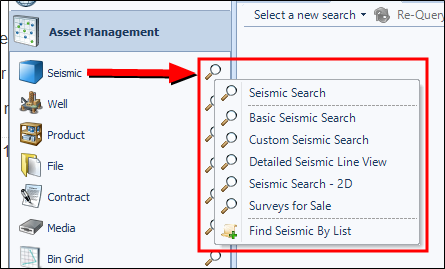
You will see a sub-menu listing all the search options.
-
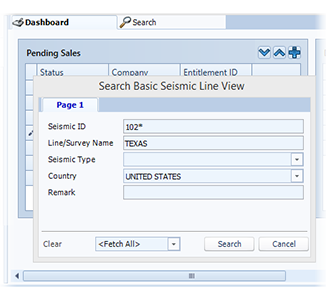
Select the appropriate search you need and a search window opens.
 Note:
Note:The search fields will vary depending on the search profile.
-
Enter your filter values and click Search.
Tip:If you are working a particular area and will be looking up the same IDs over and over, using Find Seismic By List can populate the grid with the contents of a pre-compiled list.
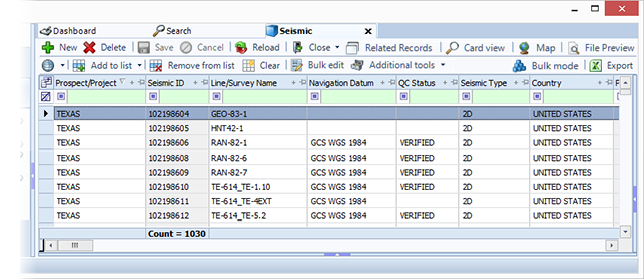
The results open in the Seismic module. Scroll through the grid to view record detail and associated information.
 To export the grid...

|
Export: The Export function exports grid information to various document types, including Excel®. |
Refer to Customize grid and Window layouts to set your layout preferences.
To learn about the command options, refer to The toolbars.